electronics / arduino
Assembling the LiFePO4 battery monitor: a wiring mistake and better diagnostics
The LiFePO4 battery monitor is now assembled, and I’ve tested it on the bench with a +8 V power supply. Since the first article, the firmware has gained persistent counters, a diagnostics page, and a button reset.
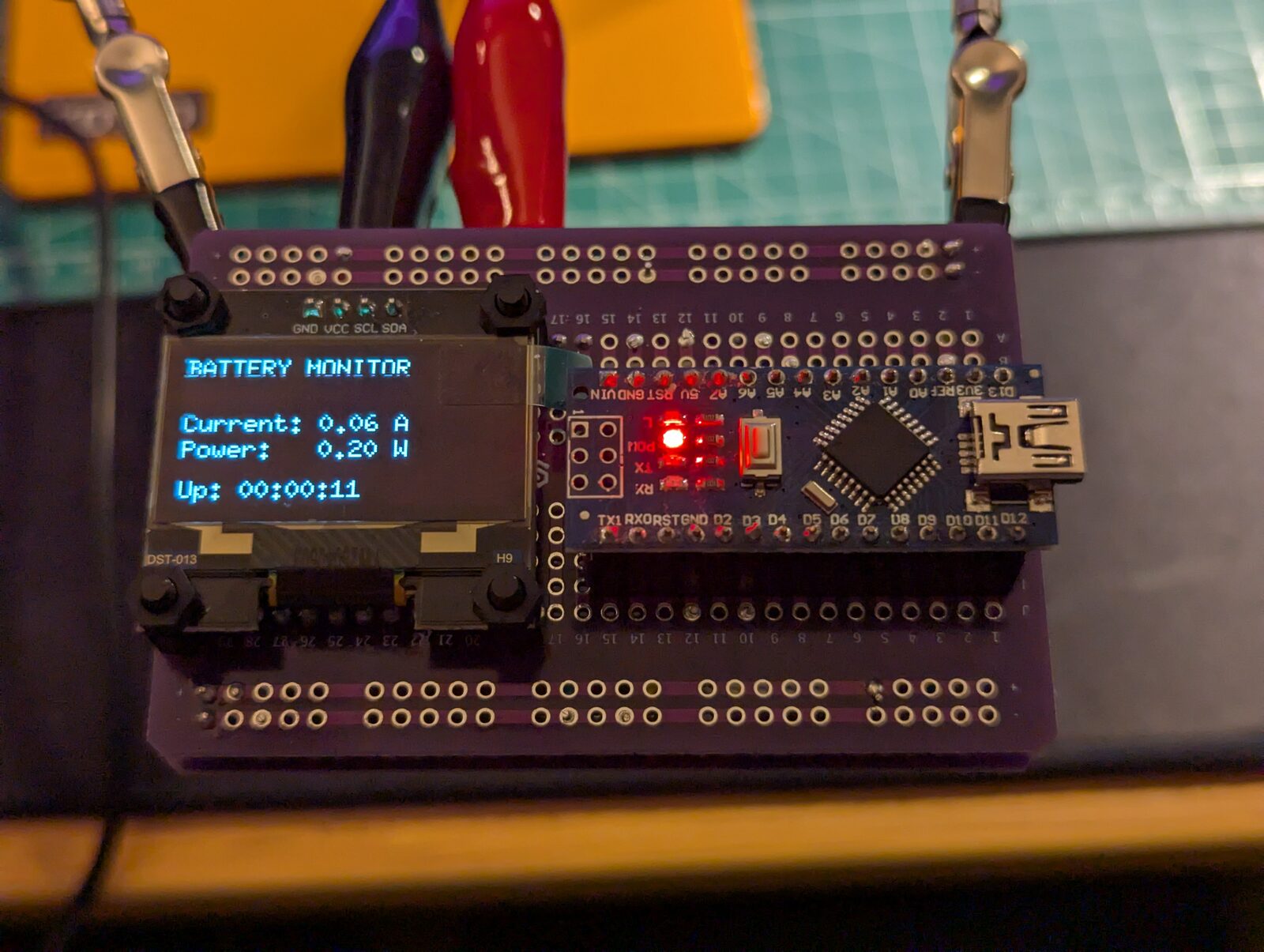
The diagnostics page came out of a wiring mistake. When connecting the FRAM module, I accidentally wired WP and HOLD to ground instead of +5 V. That left me with a useful question: how could the monitor tell me what was wrong without needing a serial connection?
From prototype to assembled monitor
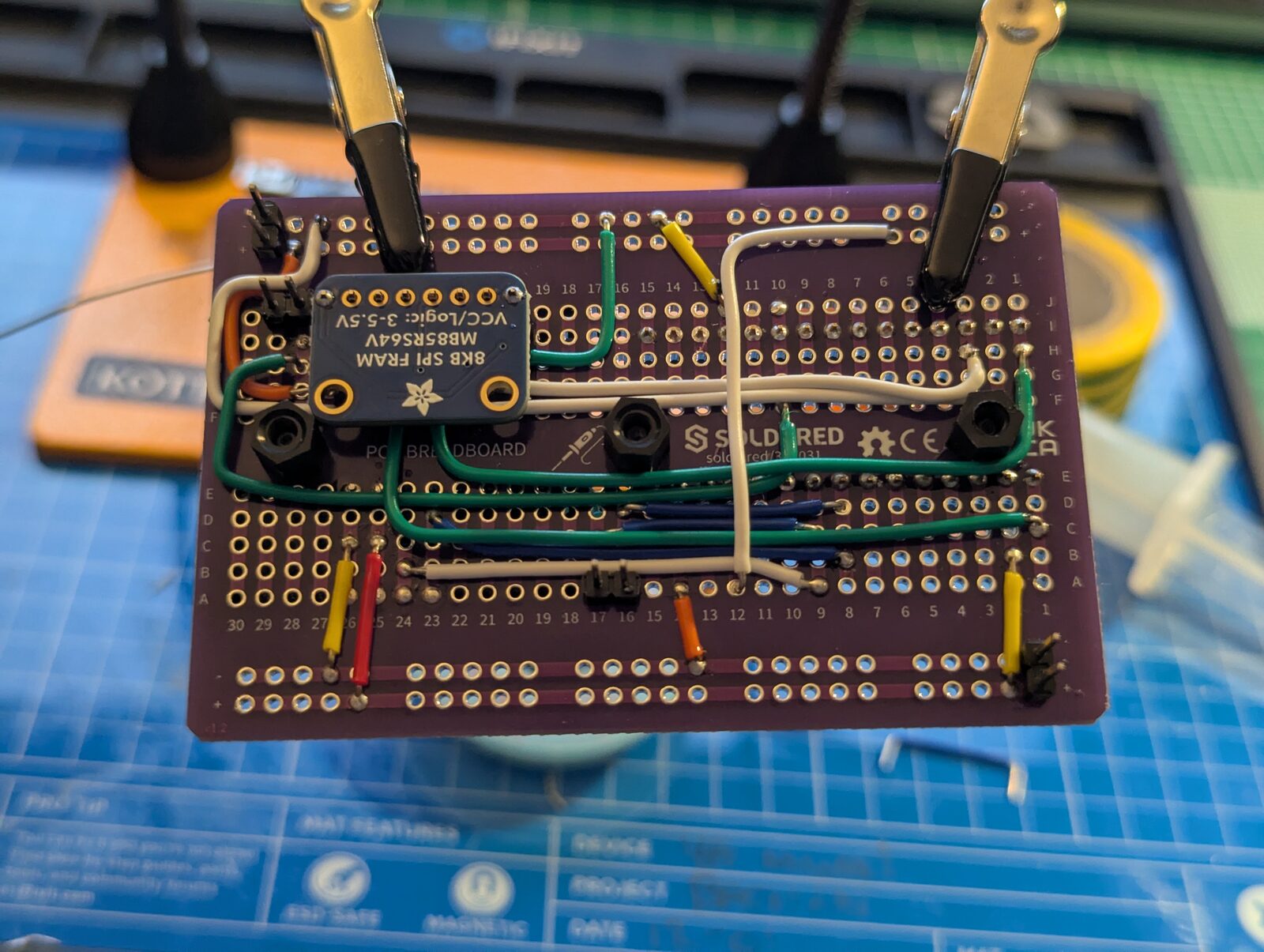
The build uses two protoboards, with an Adafruit 64 Kbit SPI FRAM module to retain the counters when power is removed.
I’ve also added a bill of materials. The listed parts come to £55.18 on the pricing basis recorded on 24 October 2026. That includes complete header and nylon standoff kits, with spare pieces left over, and a donated Nano at no cost. Batteries, wiring, the button, solder, delivery and any enclosure are outside that total, so it isn’t a complete cost to reproduce the project from scratch.
Two pins on the wrong rail
The FRAM wiring calls for VCC, WP and HOLD to connect to +5 V, with GND connected to the common ground. I had connected WP and HOLD to ground as well.
Before finding that mistake, my initial suspect was the supply voltage. With the Arduino connected to the laptop over USB, the nominal 5 V rail was low. I wondered whether WP and HOLD were failing to reach a valid high level. USB supplies nominally +5 V, but that doesn’t guarantee exactly +5 V at the module after losses through the cable and board. At that point, low supply voltage was a hypothesis rather than an established cause.
Normally I would use the Arduino IDE’s serial monitor to investigate. Here, I wanted to test with a stable external supply without leaving the laptop connected to the prototype’s power rail. The OLED diagnostics page made that possible: I could disconnect USB, feed +8 V from the bench supply into the buck converter, and read the FRAM status directly on the monitor. The converter then supplied a stable +5 V to the bus. The fault persisted, which ruled out the low USB-fed rail as the explanation for this failure.
There was also a reason to keep those power sources separate. The buck converter’s output connects directly to the Arduino’s +5 V pin, bypassing its onboard voltage regulator. I hadn’t verified the USB reverse-current protection on this Nano-compatible board, so I didn’t want to risk feeding external power back towards the laptop. In the other direction, the prototype has no added protection against USB power feeding back into the buck converter’s output. Running from the bench supply with USB disconnected avoided both paths during diagnosis.
That needs attention in a future version of the power circuit. For now, a possible way to retain serial access would be a USB connection with the +5 V VBUS conductor disconnected, while retaining data and ground, provided the board’s USB-to-serial interface works in that arrangement. That would break the USB power path; it wouldn’t provide electrical isolation. It also needs to be distinguished from a charge-only cable, which removes the data connection instead.
HOLD matters here because pulling it low suspends SPI communication. WP has a more specific role: it protects the status register, which contains the block-protection settings. It doesn’t directly disable every write to the memory just because it is low. Adafruit’s pinout guide explains both controls.
Moving the WP/HOLD connection from common ground to the +5 V rail wasn’t quite the end of it. I then encountered a ground fault and an overcurrent condition. I couldn’t establish the exact cause. I suspected a short involving the temporary ground connection to the current sensor and the 100 Ω resistor, but I can’t say that was definitely the fault.
I disconnected the resistor and checked continuity between the 3.3 V and 5 V rails. There was no continuity between those supply rails; both circuits still shared a common ground. Once the ground fault was resolved, the diagnostics showed successful FRAM initialisation and data being written to the two storage addresses.
The stable bench supply had let me eliminate one possible cause without connecting the laptop. The diagnostics then gave me a visible result once the wiring faults were resolved.
Giving the monitor something useful to say
There is now an optional third OLED page for FRAM diagnostics, enabled by default in the sketch.
It shows whether initialisation, reading or saving failed, along with the cached device identifiers, active storage slot, record sequence and time since the last verified save. It remains accessible even when the current sensor or FRAM is unavailable.
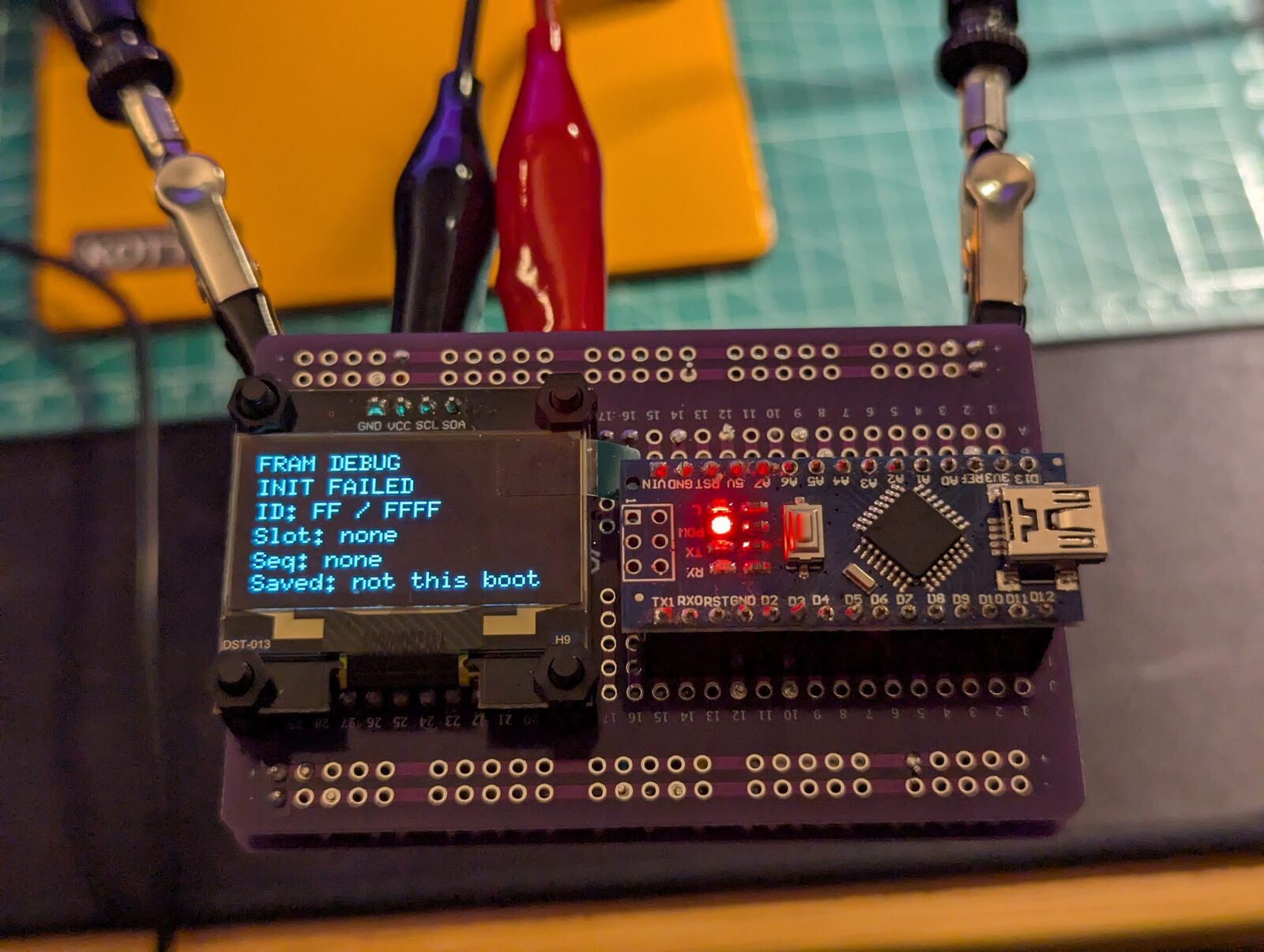
The page uses information already collected by the firmware. Drawing it doesn’t perform extra FRAM reads, and it doesn’t measure the module’s supply voltage. It can tell me which operation failed, but I still need to inspect the wiring and take measurements to establish the cause.
For this build, that is more useful than a monitor that continues showing live readings while leaving me unaware that its counters aren’t being saved. The implementation update on issue #4 records why the diagnostics page was added.
Remembering the counters
In the first version, every restart assumed the batteries were full. The firmware now saves consumed amp-hours, consumed watt-hours and accumulated operating seconds to FRAM, approximately once per second when those values change.
Rather than overwriting the only saved copy, it alternates between two records. Each has a sequence number and checksum. The previous active record stays intact while the next is written, and the firmware reads the new record back before acknowledging a successful save. At startup it restores the newest valid record.
This gives the software a recovery path for incomplete or corrupt records. It still needs physical power-cut testing: simulated interrupted writes don’t reproduce every electrical effect of losing power. Even in normal operation, roughly the last second of unsaved counters can be lost, and failed saves can extend that window. The monitor also cannot account for current flowing while it is switched off.
A deliberate reset
Persistent counters need a deliberate way to start again. The existing page button now also resets the metrics when held for ten seconds.
After one second, the OLED shows a flashing heading and countdown. Releasing before ten seconds cancels. At the threshold, consumed Ah, consumed Wh, operating time and session uptime return to zero, and capacity returns to an assumed 16 Ah / 100% full.
The firmware immediately attempts to save that reset. The confirmation distinguishes between a verified save, a save waiting for retry, and unavailable FRAM. That matters because resetting the values in RAM doesn’t guarantee they will still be reset after a restart. If power is lost before a successful save, older counters may return.
A short press still changes pages. The reset is a way to mark the battery full when that assumption is justified; it doesn’t detect a full charge.
What the tests tell me
Alongside the assembly work, PR #3 added tests that compile the actual sketch on a computer with controlled sensor readings, button inputs and time. The initial 14 cases grew to 29 with the FRAM, diagnostics and reset changes in PR #5.
Those checks cover calculations and failure paths that would be awkward to repeat by hand, including corrupt records, interrupted writes, failed saves, reset cancellation and restoring counters after a simulated restart. The recorded Nano build also passes.
The assembled monitor and +8 V bench test are another step forward. Calibration, behaviour under real loads, recovery during physical power cuts and longer-term operation still need their own checks. The project remains an experimental monitor and provides no battery protection or disconnection function.
The wiring mistake is a useful part of that progress. It exposed a gap in what the monitor could tell me about itself. I now have a way to see whether its storage is working, as well as a control for deliberately starting the counters again.
What’s next
There are two things I want to tackle next. The first is making some room in the firmware. The latest build uses 96% of the Nano’s available program flash, so I need to look at where that space is going and reduce it before adding more behaviour. That figure refers to program storage, rather than the external FRAM or working RAM. Putting data in FRAM won’t remove the need to fit the code that reads and uses it onto the Nano.
The second is to write discharge-curve data from the battery datasheet into FRAM, giving the Arduino a reference to compare against its measurements. At present, the capacity estimate depends on accumulated Ah consumption and the assumed starting charge. I’d like to investigate whether combining that calculation with the battery’s discharge characteristics gives a more accurate estimate of what remains.
There is a limit to what a voltage curve can tell me. LiFePO4 has a long, flat discharge region, and terminal voltage also changes with load, temperature and battery age. TI’s guidance on LiFePO4 gauging explains why voltage alone is a poor state-of-charge indicator. The curve would be an additional reference alongside current integration. Whether it improves this monitor’s estimate will need checking against the actual batteries under known loads; storing the datasheet values is only the starting point.