electronics / arduino
Building a LiFePO4 battery monitor with Arduino
Today I made my Arduino LiFePO4 battery-monitor repository public. It’s a work in progress, bringing together a small Arduino sketch, a current sensor, and an OLED display to keep track of a battery bank.
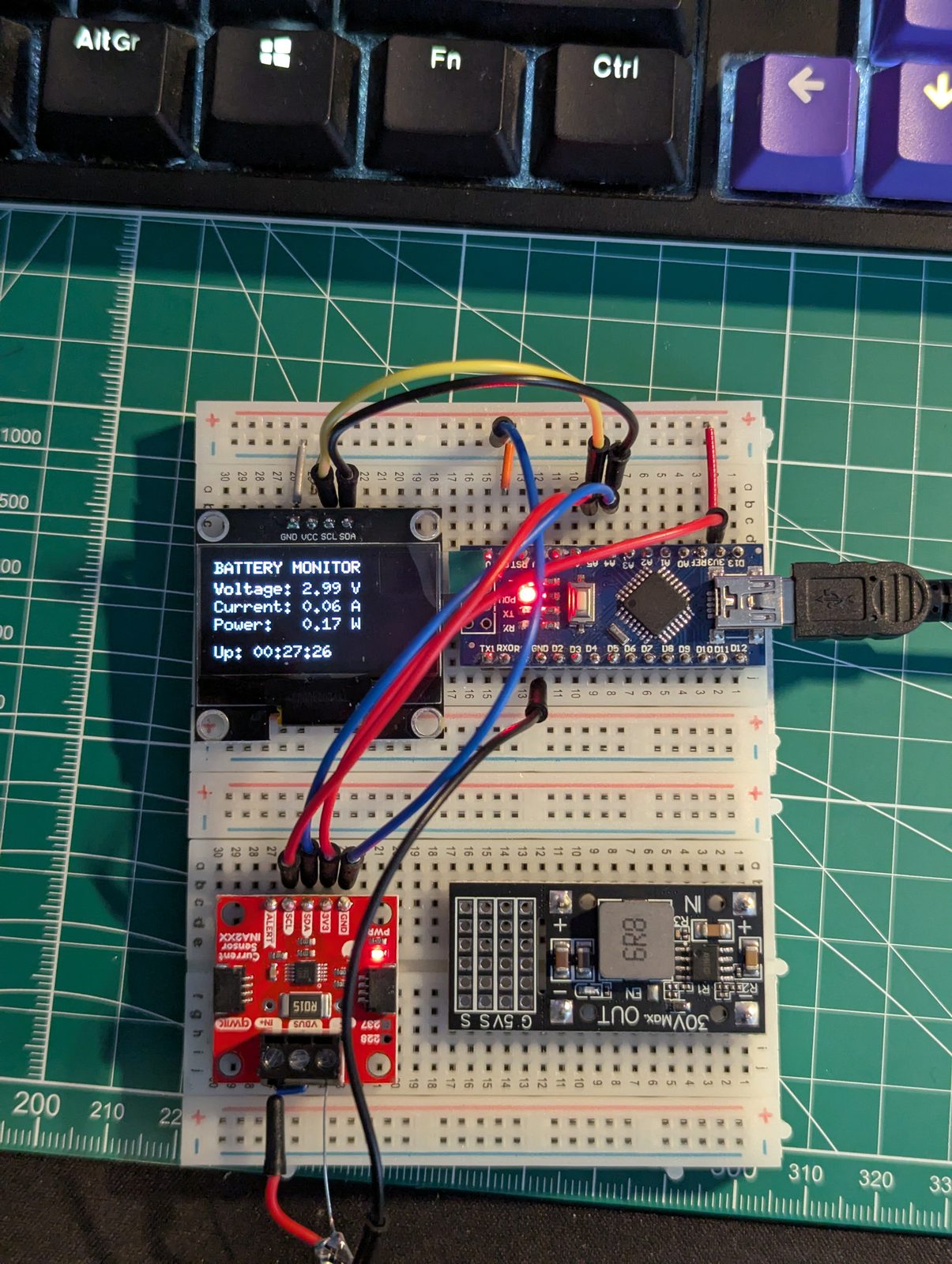
The setup is based around two 12.8 V, 8 Ah LiFePO4 batteries in parallel, giving a nominal capacity of 16 Ah. The aim is to show the live readings and track how much capacity has been used during a session.
What’s in the prototype
An Arduino Nano reads voltage, current, and power from an INA228 sensor every half-second. An SH1106 128 × 64 OLED provides two pages, with a push button to switch between them:
- Live voltage, current, power, and uptime.
- Estimated capacity remaining, a percentage bar, and amp-hours used.
The sketch also sends readings and capacity estimates over serial. The repository includes the firmware, a KiCad breadboard schematic, a rendered diagram, and hardware notes. There’s a GitHub Actions check to compile the sketch for the Nano, too.
Making sense of capacity
The capacity calculation adds up current over time to estimate amp-hours used. Discharge increases the total; charging reduces it. That gives the display something to work with, but the starting point matters.
At the moment, every restart assumes the batteries are full. Nothing is saved between boots, so the percentage is a session estimate based on that assumption, rather than a measured state of charge. Calibration and bench validation are still work to do.
This is the part I find interesting: getting a number onto a screen is only the beginning. Understanding what that number actually represents, and when it stops being useful, is part of building the monitor.
What’s next
The schematic includes FRAM for storing state, but the firmware doesn’t use it yet. Planned work includes saving capacity across restarts, adding a capacity reset control, and displaying a runtime estimate. Current smoothing is already in the sketch, but a runtime estimate isn’t currently shown on the display or serial output.
The wiring, calibration, and enclosure documentation also need more work. This remains an experimental monitor: it cannot protect or disconnect the batteries, and it does not replace independent battery protection. The PCB file is a placeholder, not a finished board design.
You can browse the code, schematic, and current limitations on GitHub. I’ll share more as the project develops.